Published on 5TH MAR 2026
Railway Studio
PrivateDesktop application for railway layout design, microcontroller configuration and real-time monitoring. Built from scratch as a self-initiated project at the Chair of Real-Time Systems, RPTU Kaiserslautern-Landau.
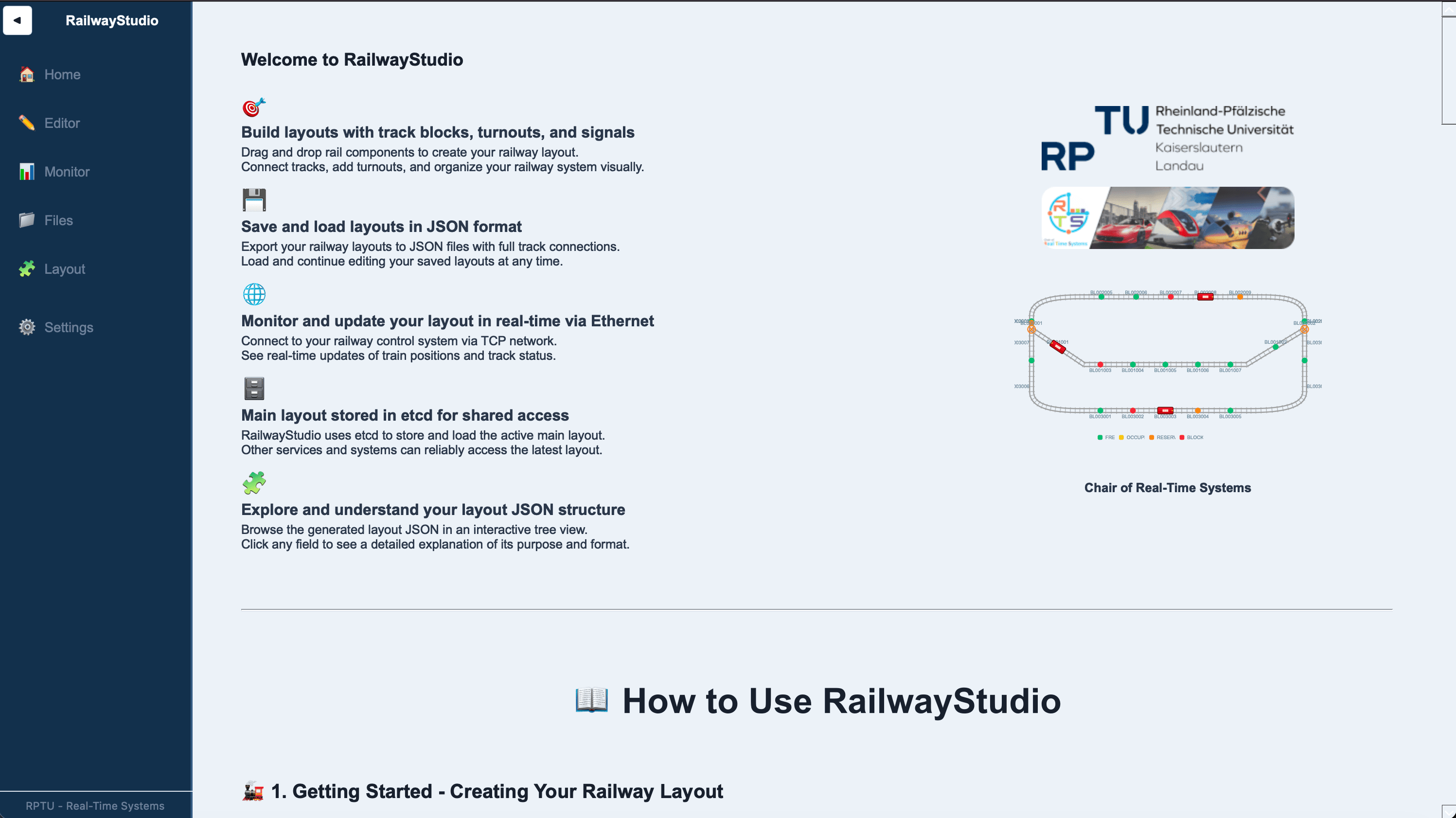
Application home page
The Problem
Working on a real railway control system at the university's Chair of Real-Time Systems, I ran into a fundamental tooling gap. The system needed a way to define a physical track layout, store it in a format the routing logic could consume directly, and keep it in sync with the embedded hardware, all without manual translation steps between tools.
Existing open-source layout editors could not produce configuration files that plugged directly into our system. After spending time with one of the available free editors, I found there was no straightforward way to extract a structured file that could be stored in the system and used as the basis for actual routing logic. Commercial tools were not an option. The result was a disconnected workflow with no real path to the flexibility the project required.
Beyond layout authoring, there was a second gap: no visibility into the system's live behavior. Testing routing scenarios required physical hardware, and onboarding a new developer meant reading through raw JSON with no visual reference. I proposed and built RailwayStudio from scratch to close both gaps. A single integrated desktop application that handles layout design, hardware assignment, persistent storage, real-time monitoring, and hardware-free simulation.
Application Pages
01. Visual Layout Editor
The editor is the core of RailwayStudio. The entire railway layout is decomposed into small, discrete blocks which are then grouped by physical location. Among these, turnout blocks carry special significance. They are the decision points of the system, representing junctions where a train can continue in one of several possible directions. Getting these modeled correctly is what makes the generated layout usable by the real system.
Within the editor, each microcontroller in the physical system can be directly assigned to a specific block group. Since microcontrollers in the real system are connected to sensors that detect train presence, this assignment step captures the physical-to-logical mapping. When the layout needs to be rearranged, only the assignment in the application changes. The microcontroller firmware itself never needs to be touched.
Once a layout is complete, it is saved both locally and to an etcd database, making it available to the real-time processing system that runs alongside RailwayStudio. The layout designated as the main layout is the one the rest of the system operates on.
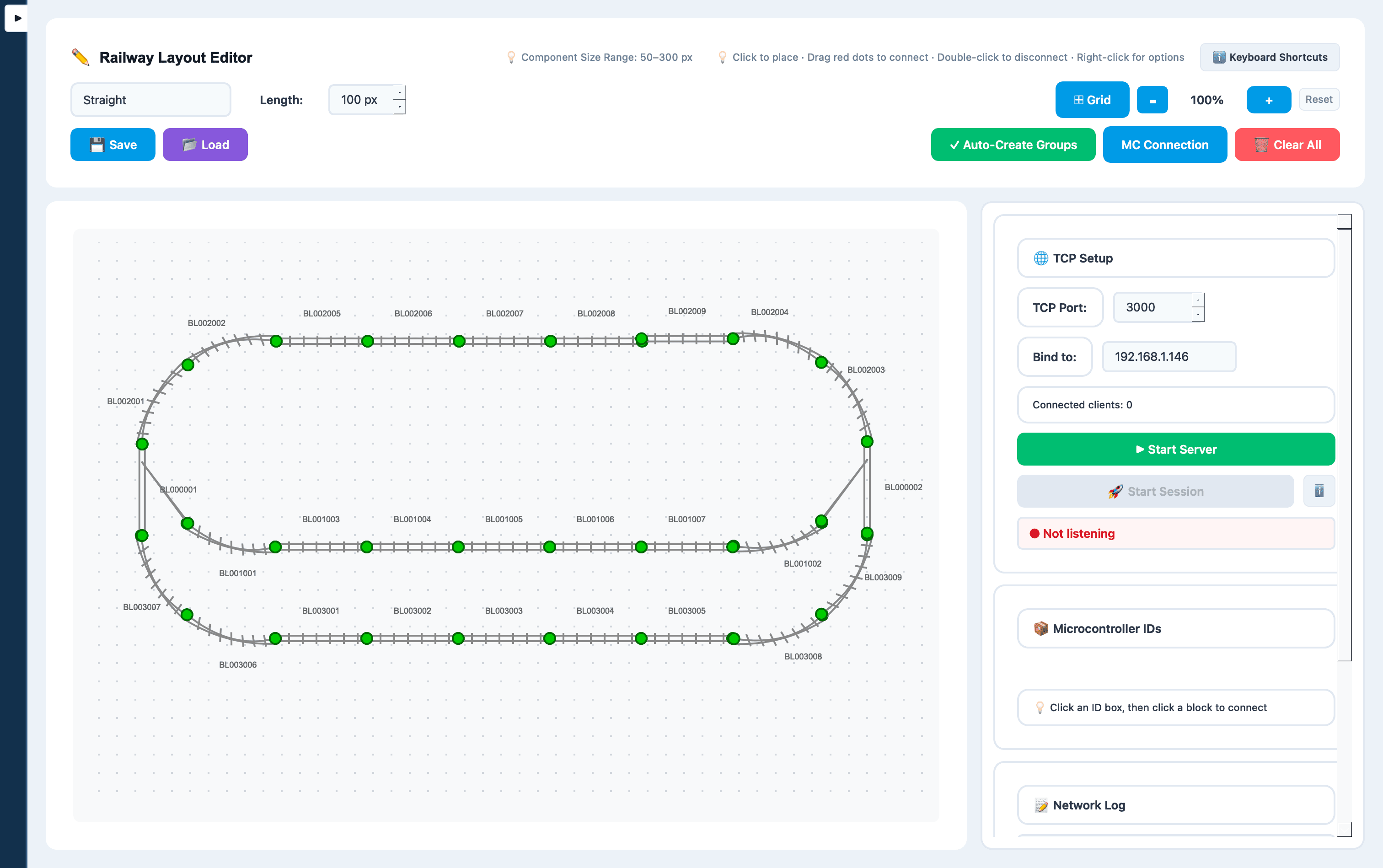
- Block-based decomposition of the full track system with location grouping
- Turnout block configuration to define branching path logic
- Direct microcontroller-to-group assignment, no firmware changes on layout updates
- Dual persistence: local file storage and etcd database
- Main layout designation for use by downstream real-time processing
02. Real-Time Monitor
The monitor page loads any saved layout and connects to the running system over TCP, giving a live visual representation of what is happening on the physical track. Once a host and port are configured and the TCP stream is enabled, the application begins processing incoming messages from the real system and reflects train positions in real time on the layout view.
Communication is fully bidirectional. The monitor can receive state updates from the actual system such as sensor-triggered train detections and can also send messages back, including fake detection events, system resets, and other control signals. This makes the monitor useful not only for live observation but as an active debugging and testing tool during development.
For scenarios where physical hardware is unavailable, the monitor supports scripted simulation: custom scripts can generate sequences of fake microcontroller events, exercising the system's routing logic through any scenario imaginable without touching a single physical component.
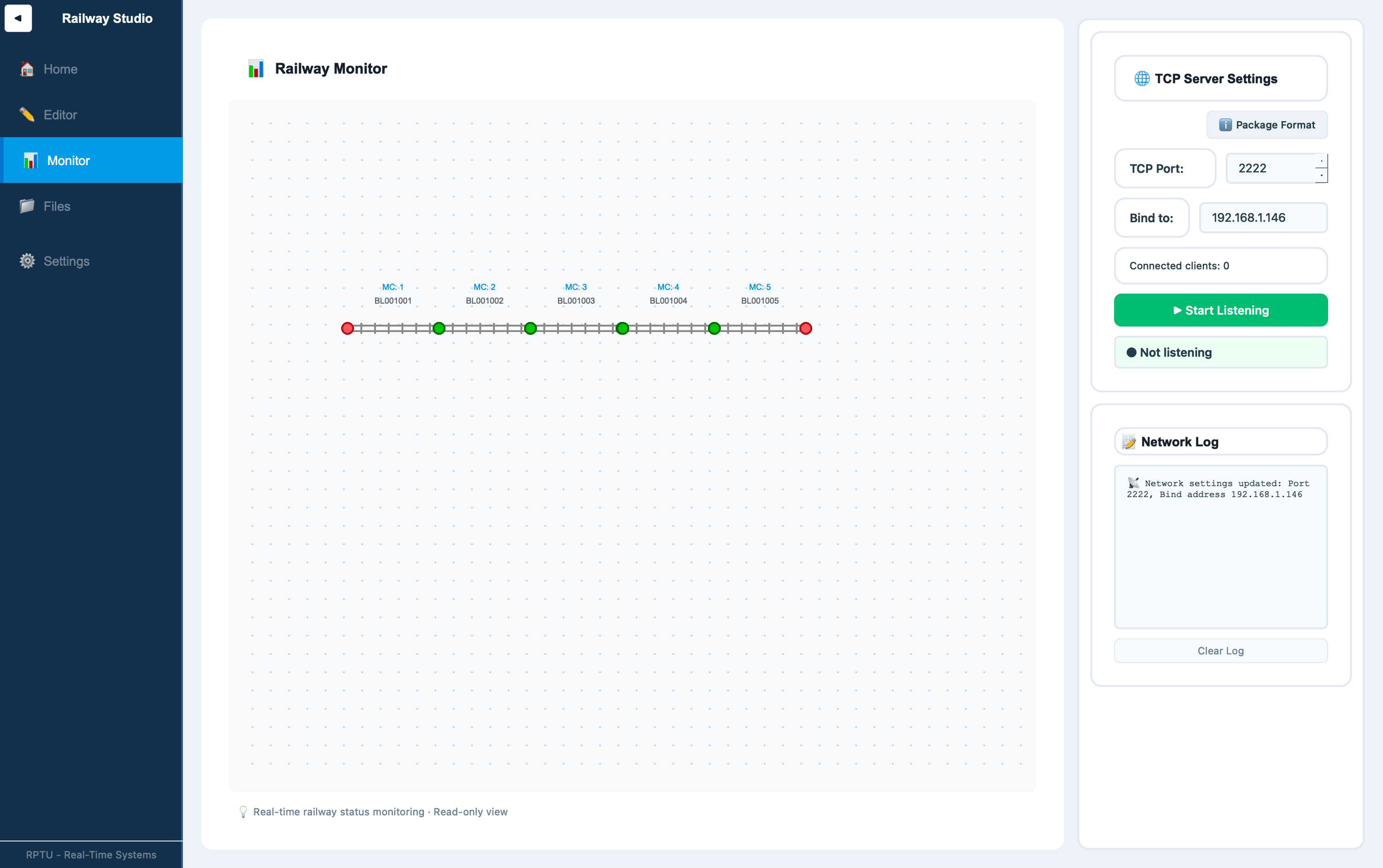
- Layout selection and live TCP connection to the running system
- Real-time visual update of train positions based on incoming sensor messages
- Bidirectional communication: send fake detections, resets, and control commands
- Script-based simulation for testing scenarios without physical hardware
03. Files
The files page brings together everything stored locally and in the database into one place. On one side, it shows what is currently in the etcd database: layouts that have been saved to the system can be downloaded from here or updated directly. On the other side, it lists the layouts found in the configured local path, giving a clear view of what is available on disk.
From this page you can load any local layout into the editor, designate one as the main layout by storing it in the database, or delete layouts you no longer need. It is the central place for managing the lifecycle of a layout from creation to deployment.
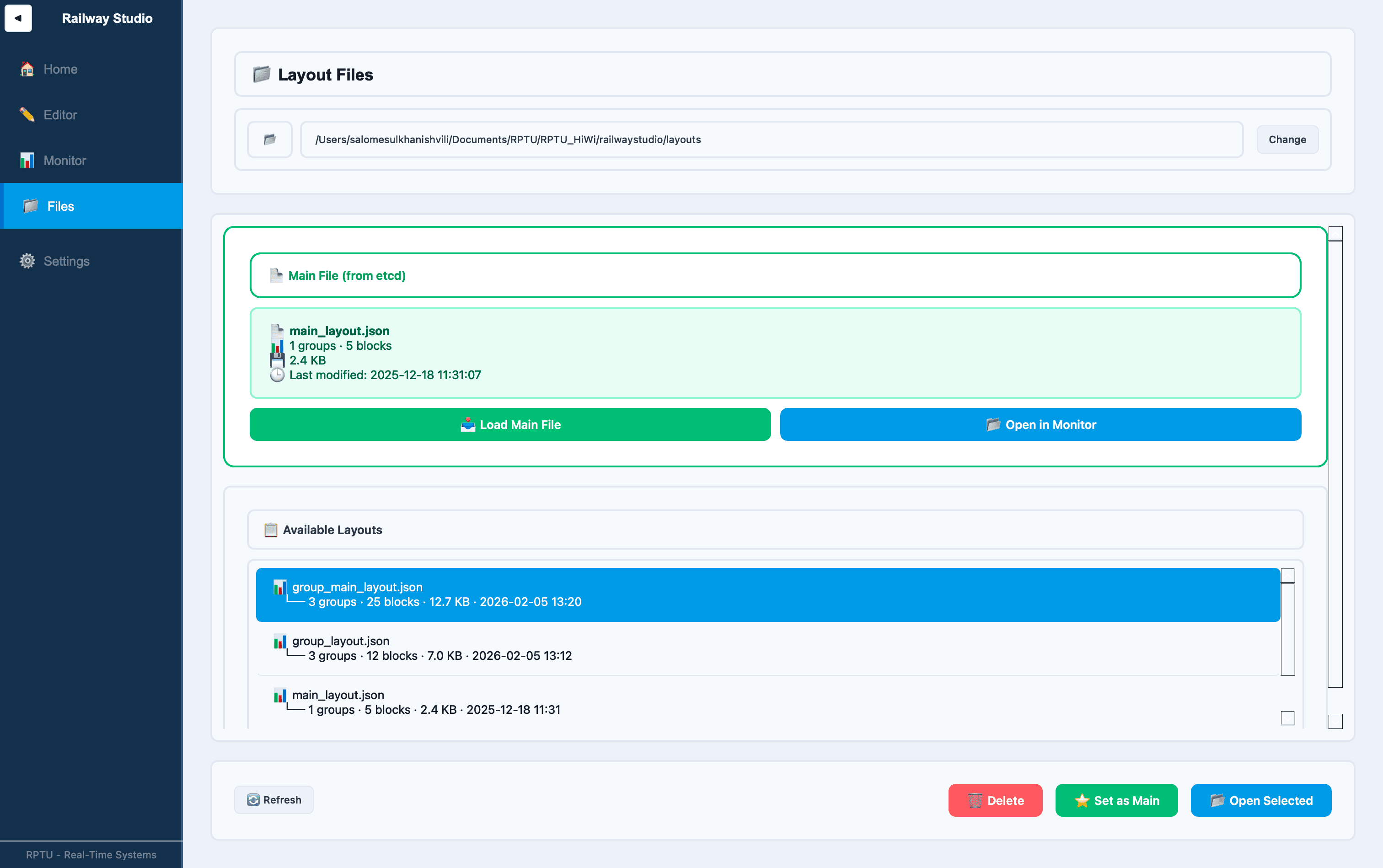
- View all layouts currently stored in the etcd database
- Download or update database entries directly from the UI
- Browse layouts in the configured local path
- Load a layout into the editor, set it as main, or delete it
04. Layouts Reference
Beyond editing, RailwayStudio includes a dedicated reference page that documents the layout configuration format in full. Every JSON property stored in a layout file is listed with a description of its purpose, illustrated either on a template layout or against real existing layout examples. A developer joining the project can understand the entire configuration schema without reading a single line of application code.
This was a deliberate design decision: the layout file is the contract between RailwayStudio and the real-time processing system that consumes it. Making that contract self-documenting inside the tool itself reduces onboarding time and prevents misinterpretation of the format.
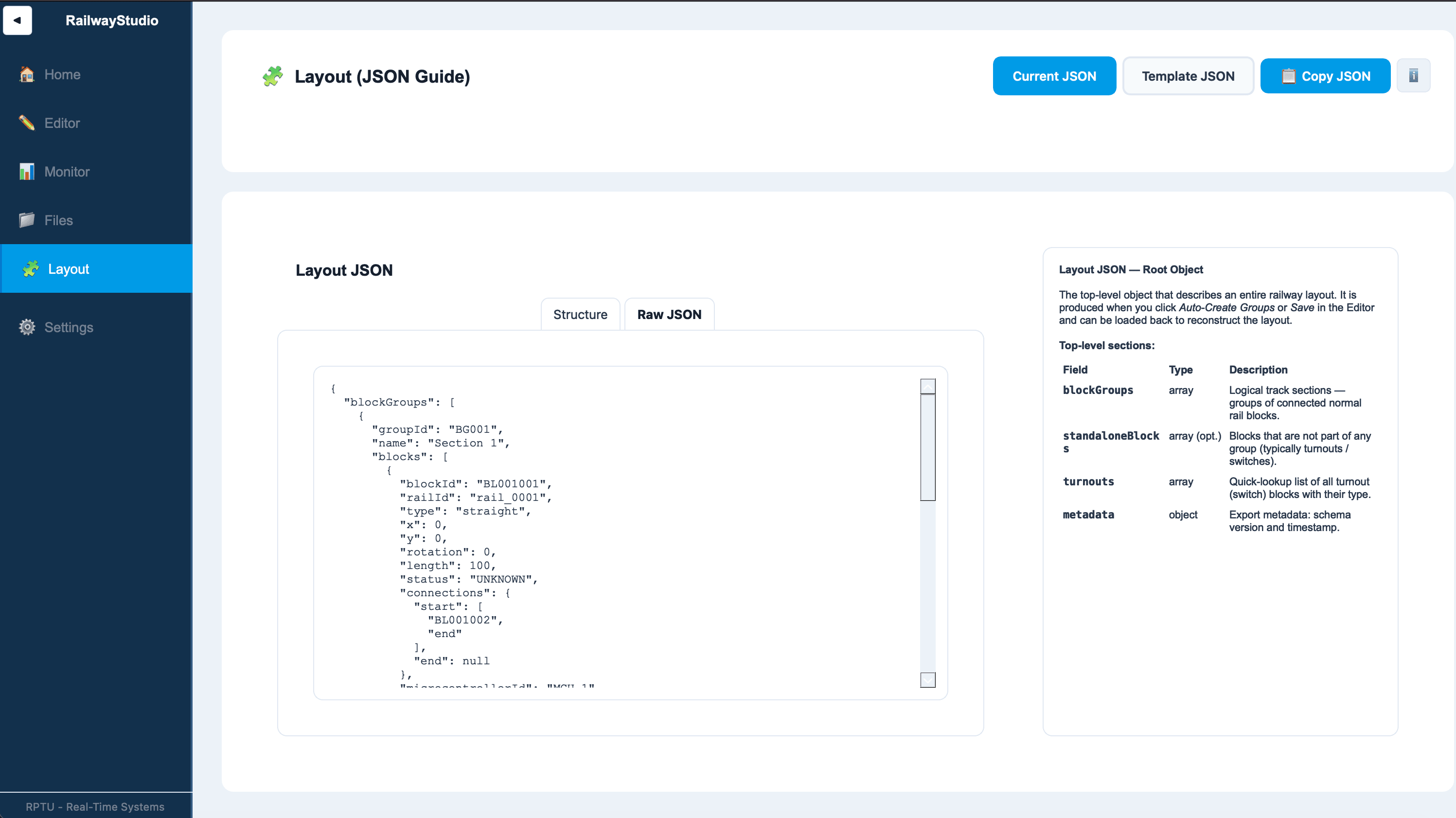
- Full documentation of every layout JSON key and its purpose
- Visual examples using template and real layouts to illustrate each property
- Accessible without reading application source code
05. Settings
The settings page allows TCP host and port configuration for all services, as well as the etcd database keys used for storing the main layout. Rather than hardcoding any connection parameters, RailwayStudio exposes them here so the tool can be adapted to different environments and deployment setups without modifying any code.
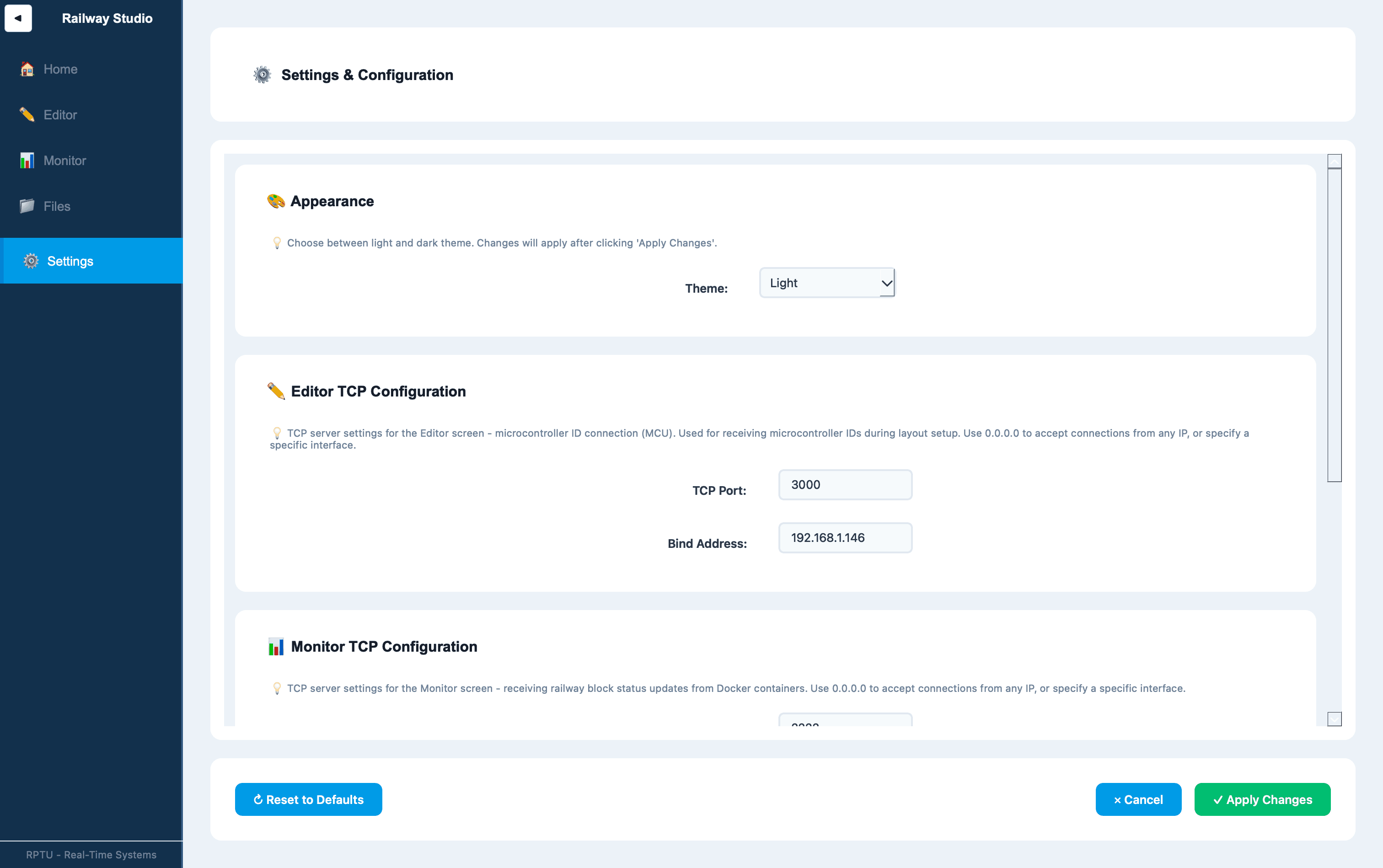
- TCP host and port configuration for service connections
- etcd key configuration for persistent main layout storage
- Settings persist across application sessions
Architecture
RailwayStudio follows the MVC pattern with a centralized configuration store and data-driven navigation. The View layer handles all user interaction via PySide6 widgets and emits signals upward. The Controller layer owns business logic, input validation, and TCP communication. The Model layer is the single source of truth. It holds the RailwaySystem definition, AppConfig, and live BlockStatus, and propagates updates back to the View through signals.
Technologies and Learnings
Applied
Newly learned